

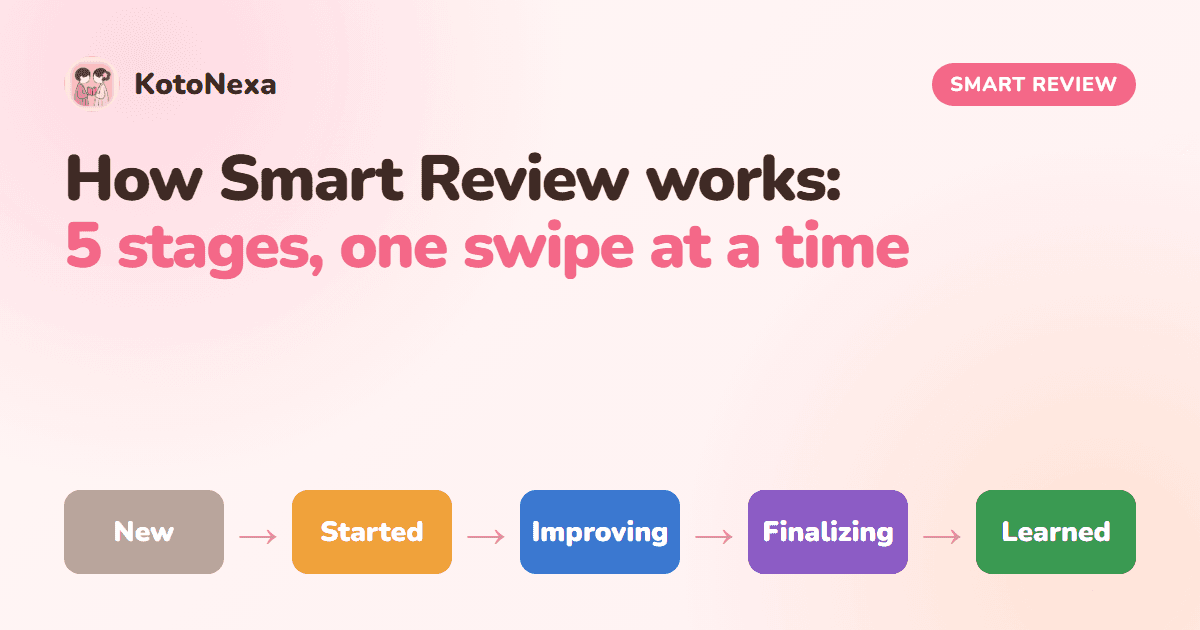
Every word you study in KotoNexa is on a journey. It starts as something you have never seen, and it ends as something you know without thinking. Smart Review is the system that walks each word along that path, one swipe at a time.
This article explains exactly how it works: what a swipe does, the five stages every word moves through, and why the system is designed to spend your time on the words that need it most.
It all starts with one honest swipe
Studying in KotoNexa is simple. A card shows you a JLPT word, with furigana, an example sentence, native audio and an illustration (all adjustable in your flashcard settings). You think about it, reveal the answer, then answer honestly:
- Swipe right if you knew it.
- Swipe left if you didn't, or weren't sure.
You can swipe with your finger or use the on-screen buttons, and if you swipe the wrong way by accident, Undo puts it right. That's the only input Smart Review needs. Every right and left swipe is recorded against that word, and those counts decide where the word sits on its journey.
The five stages every word goes through
- NewNot answered yet
- StartedAnswered once
- ImprovingBuilding familiarity
- Finalizing1 correct answer to go
- LearnedMastery bar reached
- 1New
You haven't answered this word yet. It's waiting for its first appearance.
- 2Started
You've answered it once. First impressions matter, so Started words come back soon to build on that first meeting.
- 3Improving
You've seen it several times and you're building familiarity, but you're still more than one correct answer away from mastering it.
- 4Finalizing
One more correct answer and this word is yours. These are the words closest to the finish line.
- 5Learned
You've hit your mastery bar: the number of correct answers you chose. The word graduates out of your daily deck.
If you turn on Show Learning Status in your flashcard settings, every card carries a small tag showing its stage, so you always know whether you're meeting a word for the first time or closing it out.
What happens when you get a word wrong
A left swipe isn't a failure. It's information. Getting a word wrong never pushes it off your path; it simply means the word hasn't earned its next step yet, so it keeps coming back.
Smart Review also notices patterns. A word you've missed several times is flagged as a hard word, and you can drill those words on their own with Hard Words mode whenever you want to target your weak spots. We cover that in Your Mastery Bar: Why "Learned" Should Mean Learned.
Learned means learned
When a word reaches your mastery bar, it leaves your daily deck. That's a deliberate choice. Your daily sessions should be about words you're still building, not words you've already proven you know.
Learned words aren't lost, though. They live in your Learned list for each level, where you can revisit them, review them or practise them any time you like. You stay in control: the deck stays focused, and your finished words are always one tap away.
Already know a word before you've even studied it? Use Mark as known on the card and it goes straight to your known words, so you never waste a session on something you mastered years ago.
Where your study time actually goes
The real job of Smart Review is deciding which cards you see each day. Every session is built from words at each stage in a balanced mix: some brand new, some just started, some improving and some about to be finished. That way you always make forward progress and protect what you're learning.
The exact recipe deserves its own article: Why Every Daily Deck Is Balanced: Inside KotoNexa's 30/30/20/20 Mix.
It works with everything else on the card
Smart Review doesn't work alone. Because every card has a real sentence, native audio and an illustration, each swipe is a richer memory than a word and a translation could ever be. And because you can hide furigana for your current JLPT level, a right swipe means you actually read the word, not just the kana above it.
You also choose what feeds the system. Pick your JLPT levels, then pick topic categories inside each level, and Smart Review builds your sessions from exactly that pool, with progress tracked per category.
Smart Review in one minute
- Swipe right when you know a word, left when you don't.
- Each word moves through five stages: New, Started, Improving, Finalizing, Learned.
- A word becomes Learned when it reaches the number of correct answers you chose.
- Learned words leave the daily deck and wait for you in your Learned list.
- Every daily session mixes words from every stage, so you always move forward.
See Smart Review in action
Create a free account, pick your JLPT level and watch your first words start their journey. It takes less than a minute.